Diary, trends & insights

Everything you've logged, what it adds up to, and what your own data quietly tells you.

The Diary tab is your history — every meal and ketone reading, day by day, with the macros tallied for you. The Insights on your home screen are the flip side: patterns the app spots in that history. Here's how to read both.

The diary timeline

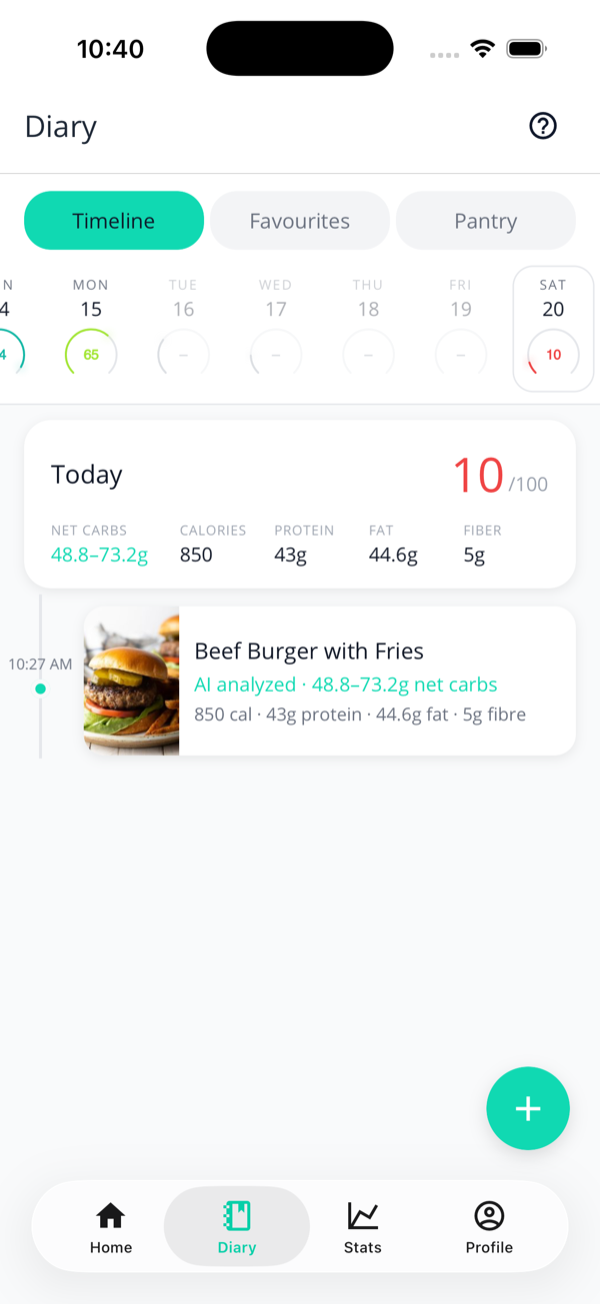
The diary timeline on the Timeline tab, with a week strip of daily battery scores, a Today summary card showing net carbs, calories, protein, fat and fibre, and a Beef Burger with Fries entry at 10:27 AM.
The Timeline: a week strip up top, your day summary, then each entry on a rail.

Open Diary and you land on the Timeline. At the top, a week strip shows each day's battery score as a coloured ring — tap a day to jump to it, or use the arrows to step back and forward. Filter by Today, Last 7 days, or Last 30 days.

Each entry sits on a vertical rail with its photo (or a pencil icon for manual entries, a droplet for ketone readings), the time, its net carbs in teal, and a quick macro summary. Anything with a hidden-carb flag wears an amber "Possible hidden carbs" pill.

Your daily summary

The first card of each day is the day summary: that day's battery score, plus the day's totals laid out in five columns — net carbs (in teal, because that's the one that matters), calories, protein, fat, and fibre. It's the same maths feeding your Carb Tank and macro tiles on the home screen, so the numbers always agree.

Favourites & Pantry

The Diary tab has two siblings behind the segmented control at the top:

  • Favourites — meals you've starred, ready to re-log in one tap. Covered in the logging guide.
  • Pantry — the labels you've scanned so the AI uses your real macros. It gets its own full page.

They live here because they're both "things you've saved" — but each has its own workflow, linked above.

Streaks & time in ketosis

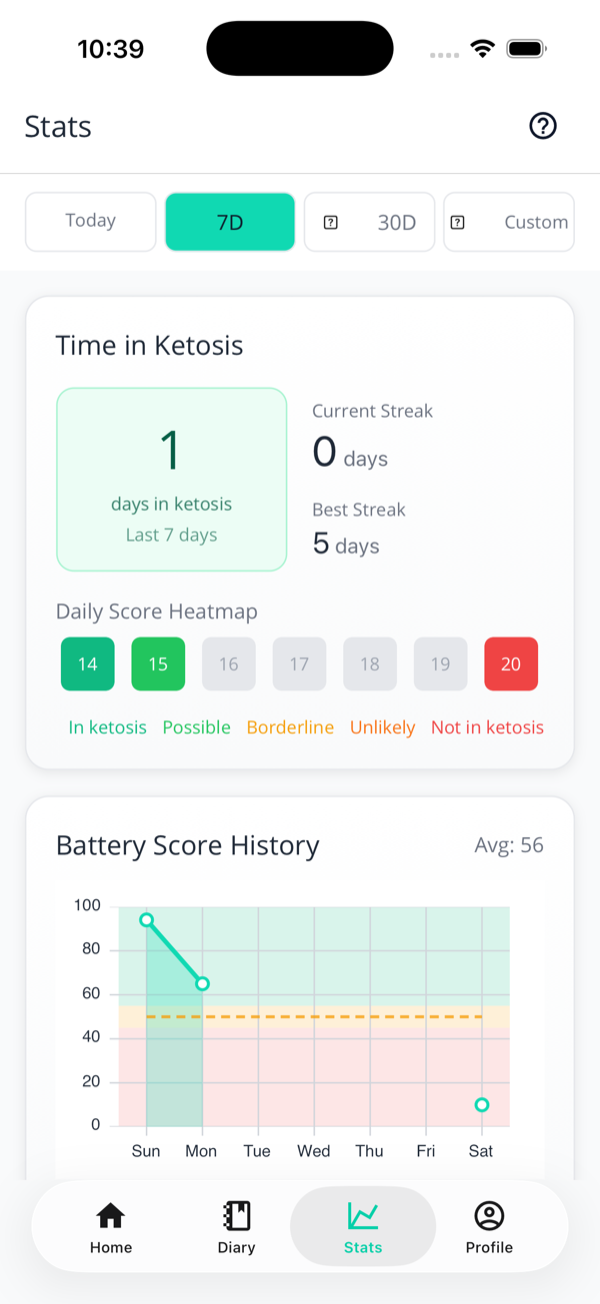
Streaks live on the Stats screen. Pick the 7-day or 30-day range and you'll find:

  • Days in ketosis over the period.
  • Current streak and best streak — consecutive days your battery cleared the ketosis line.
  • A daily score heatmap colouring each day from "in ketosis" green to "not in ketosis" red.

Streaks are free for everyone — they're an encouragement, not an upsell. The full breakdown lives on the Ketosis Battery page.

The Stats screen showing days in ketosis, current and best streak, and a daily score heatmap.
Days in ketosis, streaks, and a colour-coded heatmap on the Stats screen.

Insights cards

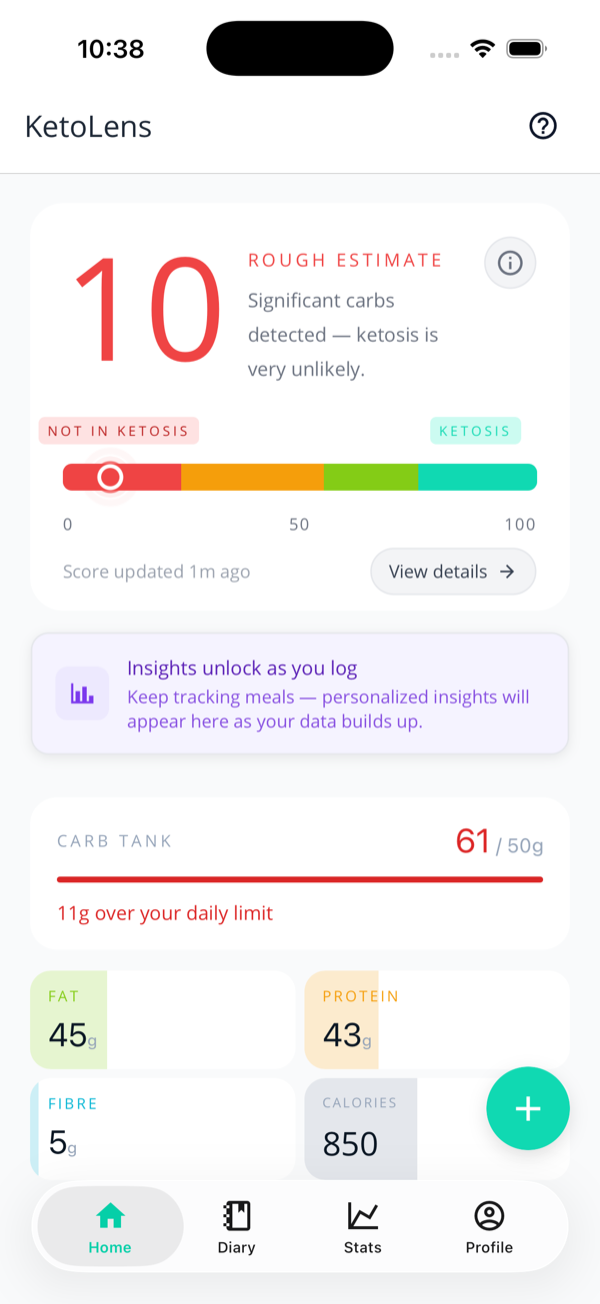
The home screen with an Insights teaser card reading Insights unlock as you log, keep tracking meals and personalised insights will appear here.
Early on you'll see a teaser. The real cards appear as your data builds up.

As you log, KetoLens generates insight cards on your home screen — patterns drawn from your data, not generic keto advice. There's a growing set, including:

  • Weekly Digest — your week in one card, with a written summary.
  • Food Impact — which meals actually helped or hurt your ketosis.
  • Eating Patterns — whether weekends or certain times of day trip you up.
  • Carb-Heavy Habits & Sugar Alcohol Impact — the usual suspects in your own log.
  • Fiber Check, Consistency Score, and Keto Journey coaching.
Free vs Pro

Everyone's data generates insights — but the full, AI-written versions are a Pro feature. On the free tier you'll see a blurred preview with a lock; upgrade to read them and act on them. Tapping a card opens the detail, where you can Acknowledge it to clear it.

Next: keto’s easier with company — share meals and your Pantry with family.