The free app is genuinely useful. Pro removes the daily caps and
turns on the clever stuff.
KetoLens is free to use, with a few daily limits to keep our AI
bills sane. Pro lifts those limits and unlocks
the deeper insights. No feature you've already logged ever gets
locked away — Pro is about doing more, more often.
Free, Trial and Pro at a glance
There are three tiers, not two. Your free trial is
its own tier with its own ceilings — generous, but not identical to
Pro. Tap any usage meter in Settings
to see this comparison in-app.
Free
Trial
Pro
Meals per day
3
Unlimited
Unlimited
Photo analyses / day
10
50
200
Photo analyses / minute
3
10
20
Pantry items
5
100
100
Share to feed
✕
✓
✓
Stats date range
7 days
30 days +
30 days +
Insights
Basic
Advanced
Advanced
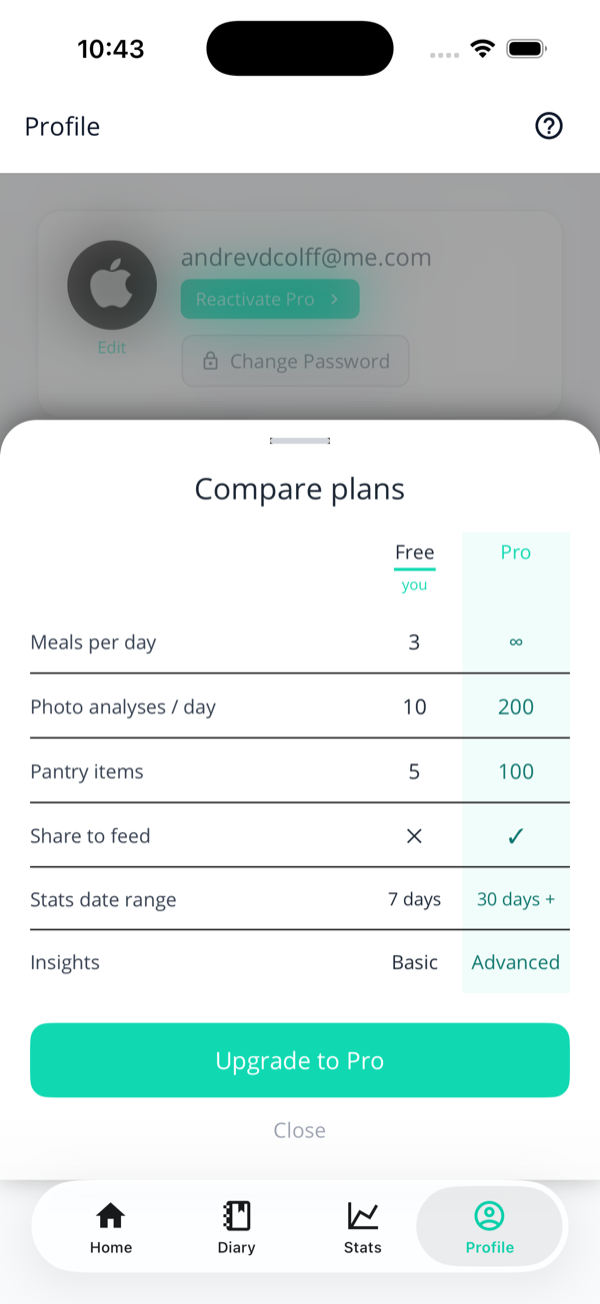
The same comparison in the app. The Trial column
only appears while you're actually on a trial — Free and Pro
members see two columns, because the third wouldn't tell them
anything.
The free-tier caps
On the free tier you can do plenty — there are just daily
ceilings:
3 meals per day. Hit the cap and you'll be told "Free tier is capped at 3 meals per day" with the option to upgrade. The count resets each day. This applies to every way of logging — including swiping a pantry item and re-logging a favourite, not just fresh photos.
10 photo analyses per day, and no more than 3 in any single minute. Manual entries and re-logging previously-saved foods don't count — only fresh AI analyses do.
Meal sharing is off — the share toggle appears once you're on a trial or Pro.
The caps are per user, server-side
They're tracked on a per-day basis in your own time zone, so midnight gives you a clean slate. Reinstalling the app won't reset them — that's by design.
What Pro unlocks
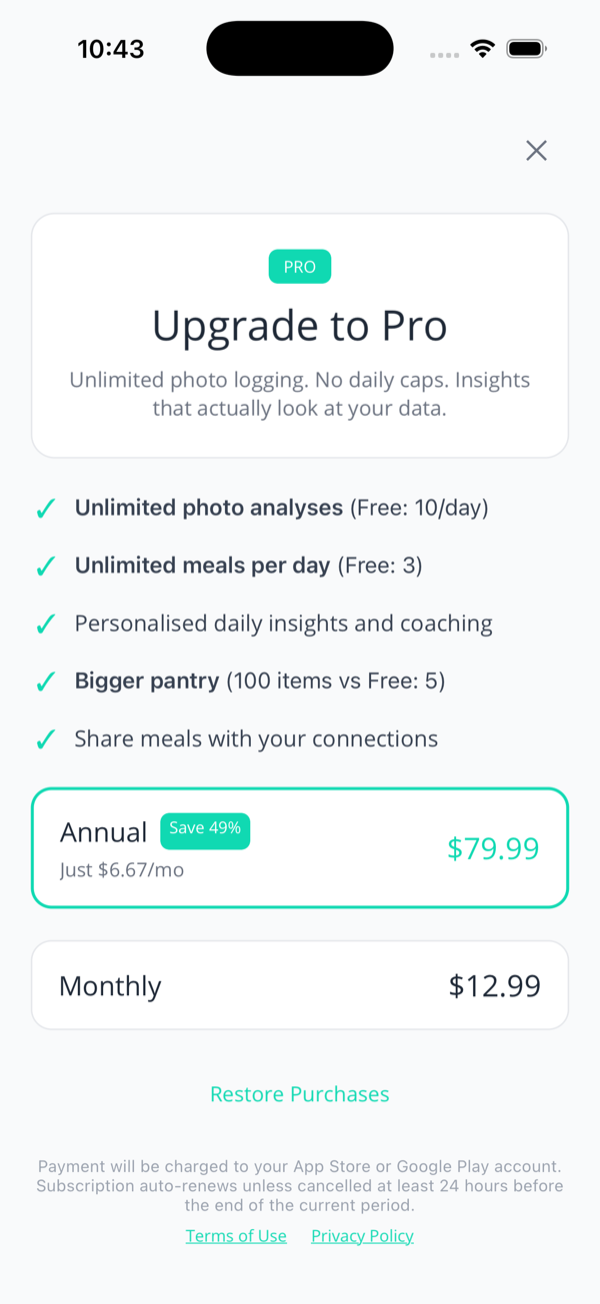
Straight from the paywall, Pro gives you:
Unlimited meals per day — genuinely uncapped.
Unlimited photo analyses — in practice a ceiling of 200 a day, which exists to catch runaway loops rather than to ration you. If you're brushing it, something's wrong and we'd like to hear about it.
Meals, sharing, Stats ranges and advanced insights are exactly the same as Pro. Photo analyses are capped at 50 a day rather than 200 — far more than a normal day of eating needs, but worth knowing before you set out to stress-test it.
The paywall: the benefits, the plans, and Restore Purchases.
Plans, trial & pricing
Free trial — every new account starts on a 14-day trial, granted the moment you sign up. No card, no store subscription, nothing to cancel.
Annual — the best value, typically saving around half versus paying monthly.
Monthly — pay as you go.
The trial really doesn't need a card
It's granted by us, on our side, when your account is created — not by the App Store or Google Play. So there's no subscription sitting in your store account quietly waiting to charge you, and nothing to remember to cancel. When the 14 days are up you simply drop to the free tier and keep everything you logged. If you want Pro at that point, that's when a payment method enters the picture for the first time.
There are actually two free trials
This trips people up, so it's worth being precise. The two are
separate, and they stack:
The 14-day trial
The 7-day store trial
Who runs it
Us
App Store / Google Play
Starts when
You create an account — automatically
You start a Pro subscription
Card needed
No
Yes
When it ends
You drop to the free tier
It renews into paid Pro unless you cancel
So a brand-new user gets 14 days of everything with no payment
details at all — and if they then subscribe, the store's own
week lands on top before the first charge. Roughly three weeks
free, if you use both.
"My free trial ended" — which one?
If you're emailing us about a trial, saying which one saves a round trip. The tell: if you were never asked for a card, it's the 14-day one, and nothing has charged you.
About the prices you see
Prices are never hard-coded — they come live from the App Store or Google Play in your local currency, so what you see is what you'll pay where you are. Paid subscriptions auto-renew unless cancelled at least 24 hours before the period ends — including at the end of the 7-day store trial, if you took one.
Restoring & managing
Restore Purchases — new phone, or reinstalled the app? Tap Restore Purchases on the paywall and your Pro access comes back.
Manage subscription — Pro members get a Manage subscription button in Settings that opens your store's subscription controls, where you can change plan or cancel.
Cancelling — done through the App Store or Google Play, not in KetoLens. You keep Pro until the period ends, then drop back to free.
Family Sharing — Pro works with Apple Family Sharing and Google Play's Family Library like any other subscription.
That’s the lot. Jump back to the guide home, or hop to any topic from the sidebar.